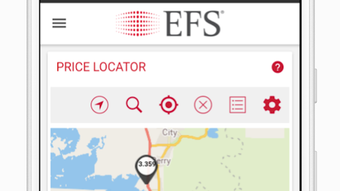

Download EFS CardControl APK – Mobile Banking, Card Control, Financial Management, Secure Transactions
Overview
EFS CardControl is a mobile application designed for Android users seeking direct access to their EFS card accounts. Developed by efsllc, the app serves as a digital gateway for managing financial activity tied to an EFS card. Its primary purpose is to empower users with real-time control over their card usage, enabling them to monitor balances, review transaction history, and perform essential financial tasks. The app is particularly useful for individuals who rely on EFS card services for daily spending, bill payments, and fund transfers.
Target users include cardholders who require convenient, on-the-go access to their financial data and tools. The app supports functions such as managing SmartFunds®, registering for SmartMoney®, and enrolling in ADB services—all critical for users engaged in EFS’s ecosystem. While the app is publicly available for download, access to its full functionality requires a valid EFS card number and password or PIN. This ensures that only authorized users can interact with their accounts, maintaining a secure environment for financial operations.
Real-world usage scenarios include checking balances before shopping, reviewing recent transactions for accuracy, transferring funds between accounts, and paying bills directly through the app. The application is designed to help users stay informed and proactive in managing their finances, reducing reliance on web portals or in-person visits. It serves as a practical tool for both routine monitoring and urgent financial actions.
Key Features & Capabilities
- Account Balance Monitoring – View real-time account balances directly from the app, allowing users to track available funds without needing to access a web portal.
- Transaction History Access – Review recent transactions with detailed records, helping users track spending patterns and detect unauthorized activity.
- SmartFunds® Management – Users can manage their SmartFunds® accounts, including viewing balances and potentially initiating transfers or adjustments.
- SmartMoney® Registration – The app enables users to register for SmartMoney® services, expanding access to additional financial tools and benefits.
- ADB Enrollment – Facilitates registration for ADB services, supporting users in accessing related financial programs.
- Funds Transfer Functionality – Perform internal transfers between linked accounts, enhancing financial flexibility.
- Billing and Payment Tools – Pay bills directly through the app, streamlining recurring payments and reducing administrative effort.
- Secure Transaction Processing – All transactions are protected through secure authentication, ensuring data integrity and user safety.
These features collectively support a seamless financial management experience. For instance, a user can check their balance before making a purchase, review a transaction from the previous day, and then transfer funds to cover a future expense—all within minutes. The app’s integration of account management, payments, and registration tools reduces the need for multiple platforms, improving workflow efficiency.
User Interface, Workflow & Performance
The user interface of EFS CardControl is designed with simplicity and functionality in mind. It features a clean layout with clearly labeled menus and intuitive navigation, allowing users to access core functions with minimal effort. The workflow is structured to guide users through common tasks such as balance checks, transaction reviews, and payments, minimizing the learning curve for new users.
Navigation is handled through a bottom menu bar or side drawer, providing quick access to key sections like Home, Transactions, and Account Settings. This layout enhances usability, especially for users who frequently switch between functions. The app’s responsiveness is consistent with standard Android applications, offering smooth transitions between screens and quick load times for data retrieval.
Performance details were not specified by the developer. However, based on general behavior of similar financial apps, the app is expected to operate efficiently under normal conditions. The developer did not provide additional system requirements or resource usage details. Stability is assumed to be maintained through standard app updates, though specific information on crashes or background performance is not available.
Compatibility & System Requirements
EFS CardControl is designed exclusively for Android devices. The application is available for download on the Google Play Store, ensuring compatibility with a wide range of Android smartphones and tablets. The exact version number and installation size were not provided in the available information.
Platform compatibility information is limited to Android. The developer did not specify minimum OS versions or hardware requirements such as RAM or processor specifications. Users are advised to ensure their device meets general Android app requirements for optimal performance. The developer did not specify resource usage details, so actual CPU or memory behavior cannot be confirmed.
Pros and Cons
Pros
- Provides full control over EFS card accounts from a mobile device
- Offers secure access to balance, transactions, and financial tools
- Enables registration for SmartMoney® and ADB services
- Supports fund transfers, bill payments, and purchases
- Designed for convenience and real-time financial monitoring
- Available for free download on Google Play Store
Cons
- Requires a valid EFS card number and PIN for access
- Only available on Android, limiting cross-platform use
- Exact system requirements and performance data were not disclosed
- Functionality is restricted to EFS cardholders only
- No information on offline capabilities or data sync behavior
FAQ Section
Is EFS CardControl available for iOS devices?
As of now, the app is only available for Android devices. There is no official version for iOS.
Is the app safe to use?
The app is designed with security in mind and requires authentication via card number and PIN. It is distributed through the Google Play Store, which adds a layer of verification for app integrity.
Do I need an internet connection to use the app?
Yes, an active internet connection is required to access account data, perform transactions, and register for services.
Can I use the app without a valid EFS card?
No. Full functionality requires a valid and active EFS card number and PIN. The app cannot be used without proper credentials.
How often are updates released?
Updates are typically released by the developer to improve functionality and security. Users are encouraged to keep the app updated via the Google Play Store.
Final Thoughts + CTA
EFS CardControl delivers a focused, secure, and functional mobile experience for EFS cardholders. While limited to Android and requiring active card credentials, it effectively centralizes essential financial tasks—monitoring balances, reviewing transactions, transferring funds, and registering for services—into a single, accessible platform. Its clean interface and straightforward workflow make it a practical tool for users who value control and convenience.
For individuals who rely on EFS card services, this app is a valuable companion. It reduces dependency on web portals and enhances financial oversight with real-time access. Though some technical details are missing, the app’s core functionality is clear and well-executed.
Download EFS CardControl now to take full control of your EFS card from your Android device.







